Last Updated: November 20, 2026
Quick Summary
The best security cameras for home protection are reliable wired or wire-free models chosen around coverage, storage, and detection accuracy rather than spec sheets. Wired PoE cameras on a local recorder keep recording through Wi-Fi and internet outages, while wire-free cameras suit rentals and quick setups. Plan entry points first and compare five-year costs, since cloud subscriptions and batteries often outweigh the sticker price.
- Mount cameras 8 to 10 feet high, angled down, to catch faces rather than hoodies.
- Cover entry points first: front door, back door, garage, and side gate.
- 1080p is the practical resolution floor for identifying faces and plates.
- Compare systems on a five-year basis covering upfront, storage, batteries, accessories, and replacement.
- Use unique passwords, two-factor authentication, and firmware updates to secure camera accounts.
Table of Contents
- What the Best Security Cameras for Home Protection Get Right in 2026
- Quick Comparison: Camera Types and What They Cost to Own
- Wired vs Wireless: Which Setup Fits Your Home
- Video Quality, Night Vision, and Detection That Actually Works
- Placement and Coverage Planning: Where Blind Spots Come From
- Storage, Subscriptions, and Total Cost of Ownership
- Privacy, Account Security, and Power or Internet Outages
- Why Professional Installation Closes the Gaps a Kit Leaves Behind
- Frequently Asked Questions
What the Best Security Cameras for Home Protection Get Right in 2026
The best security cameras for home protection are not the ones with the longest spec sheet. They are the ones that still work when the power flickers, the Wi-Fi drops, and a stranger walks up your driveway at 2 a.m.
At 3rd Eye Surveillence, we have spent over a decade installing and maintaining camera systems in the Ocala area. Coverage planning, storage reliability, and detection accuracy decide whether a system protects a home or just decorates it.
A security camera is a networked device that captures video of a property and delivers it to a recorder, the cloud, or a phone app for live view and playback.
Below, we break down camera types, real ownership costs, placement, and the gaps a store-bought kit leaves behind. For the bigger picture, our guide to home automation and security systems goes deeper.
Quick Comparison: Camera Types and What They Cost to Own
Camera type drives almost every other decision, including what you pay upfront and what you keep paying. Here is how the main categories stack up.
| Camera Type | Best For | Power Source | Typical Weakness |
|---|---|---|---|
| Wired dome | Front doors, driveways | PoE cable | Needs cabling at install |
| Wire-free battery | Rentals, quick setups | Rechargeable battery | Battery swaps, weaker live view |
| Floodlight camera | Side yards, dark corners | Hardwired | Placement constrained by existing fixtures |
| Pan and tilt | Large open areas | Wired or battery | Motor wear over time |
| Doorbell camera | Entry points | Existing doorbell wiring | Narrow field of view |
Wire-free models look convenient, but a battery camera that records constantly drains fast.
If you are comparing specific models, browse the security camera products we install and support to see how the categories map to real hardware.
Wired vs Wireless: Which Setup Fits Your Home
Wired cameras are generally more reliable because a Power over Ethernet camera gets power and data through one cable. The catch is installation: cable has to be run through walls, attic space, and eaves.
Wire-free cameras are quicker to set up because they can be mounted and paired to an app without running cable. The trade-offs show up later in battery life, recording gaps, and dropped connections.
What most guides rarely explain is how each setup behaves when power or internet fails, and how the choice changes for renters, older adults, and non-technical households.
When a Wired Camera Is Worth the Install
Choose wired when the camera covers a fixed, high-value area: the front door, the driveway, the back gate. A wired camera on a local recorder can keep recording through a Wi-Fi outage.
When a Wire-Free Camera Makes Sense
Choose wire-free for rentals, outbuildings, or a view you want to add without opening a wall. A wire-free camera on a shed or side gate can be a reasonable compromise, but plan on recharging batteries on a schedule.
Wire-free cameras also suit renters who cannot run cable or mount hardware permanently; look for adhesive or clamp mounts and check the lease before drilling. For older adults or non-technical households, wire-free units with simple apps and long battery life reduce maintenance, but only if someone is available to recharge them.
Outage behavior, side by side
The difference matters most when things go wrong:
- Power outage: A wired camera on a recorder with battery backup keeps recording. A wire-free camera keeps running on its battery, but the hub or router may not, so live view and cloud upload can stop.
- Internet outage: A wired camera on a local recorder keeps recording locally. A cloud-only wire-free camera typically drops to local storage on a card or stops recording entirely, depending on the model.
- Wi-Fi congestion: A wired PoE camera is unaffected. A wire-free camera shares the Wi-Fi network and can drop frames or disconnect when the network is busy.
A common mistake is mixing the two without a plan. Owners buy a wire-free kit, then wonder why the driveway camera misses deliveries. The fix is usually one wired camera where it counts and wire-free units for the rest.
Matching the setup to the household
- Renters: wire-free with removable mounts, or a doorbell camera that uses existing wiring.
- Older adults: wire-free with long battery life and a simple app, plus a family member who can recharge batteries.
- Families with pets: wired cameras with tunable person detection to filter out pet movement.
- Non-technical households: wired on a local recorder with professional setup, so there is no battery schedule to manage.
- Home offices and safes: a wired camera on a dedicated view, backed by local recording.
Video Quality, Night Vision, and Detection That Actually Works
Resolution gets the marketing attention, but detection accuracy is often what determines whether a system is useful.
Here is what actually matters:
- Resolution: 1080p is the practical floor. Higher resolution helps identify faces and plates at distance, but only if the lens and sensor are decent.
- Field of view: A wider lens covers more ground but distorts edges. Two moderate cameras usually beat one ultra-wide.
- Night vision: Infrared handles pitch black. Color night vision needs some ambient light, so a floodlight or porch light improves results.
- Person detection: This filters out swaying trees and passing cars. Without it, real-time alerts become noise you learn to ignore.
- Two-way audio: Useful at the door, less useful elsewhere.
Detection accuracy is an area where budget kits can fall short. A camera that flags every cat as an intruder can train you to dismiss alerts. Look for person and vehicle detection as separate, tunable settings.
Placement and Coverage Planning: Where Blind Spots Come From
Blind spots are often a planning problem rather than a camera problem. A camera mounted at the wrong height or angle will underperform regardless of cost.
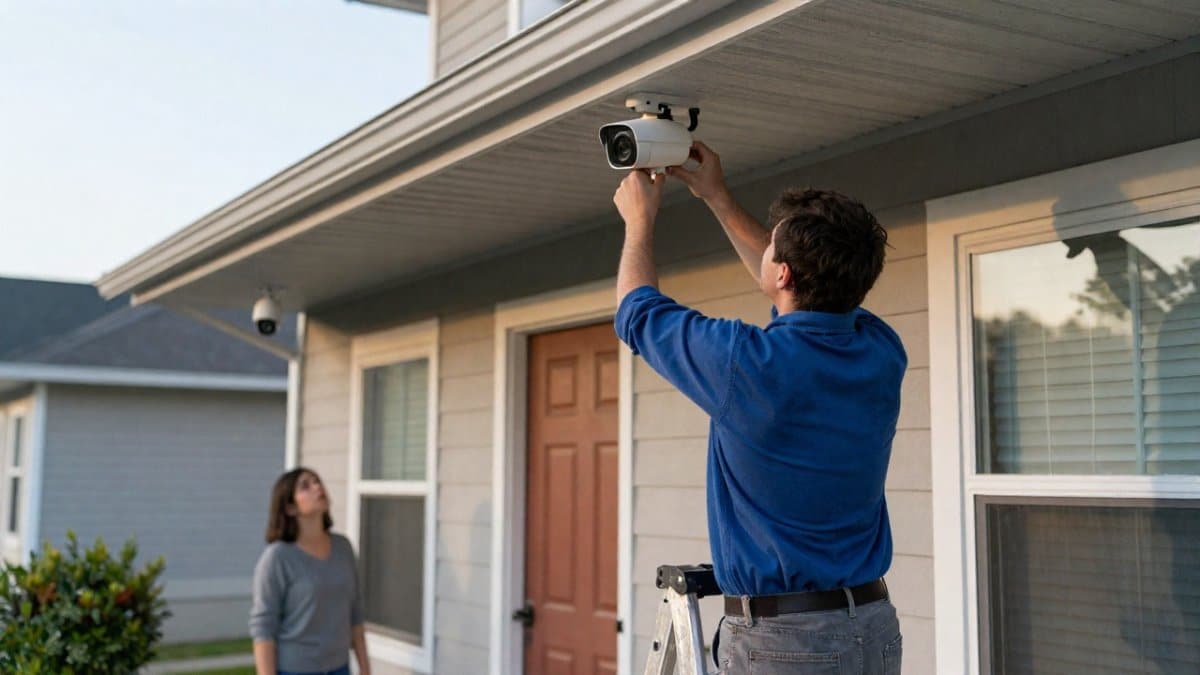
Start with the approach paths, not the walls. Where does a person walk to reach a door, a window, or a gate? A camera aimed at a lawn looks impressive in the app and catches nothing useful.
Practical placement rules to consider:
- Mount cameras 8 to 10 feet high, angled down, to catch faces rather than hoodies.
- Cover entry points first: front door, back door, garage, side gate.
- Overlap fields of view so one camera’s edge is another’s center.
- Keep cameras out of direct sun and away from sprinkler spray.
- Aim away from public roads to reduce nuisance alerts and privacy complaints.
A common mistake is pointing every camera at the perimeter. Intruders approach from the perimeter but often enter at doors and windows, so covering entry points first is a sound approach.
Storage, Subscriptions, and Total Cost of Ownership
The sticker price is the smallest part of what a camera system costs. Storage and subscriptions decide the real number, and they are where buyers get surprised. Here is the math.
The three cost buckets
Every camera system carries three costs, and only one of them shows up on the shelf tag:
- Upfront hardware: cameras, recorder or hub, cables, mounts, and accessories like a PoE switch or floodlight fixture.
- Recurring storage: a cloud subscription, a local hard drive, or both. This is the bucket that compounds.
- Maintenance and replacement: batteries for wire-free units, drive replacement every few years, firmware upkeep, and occasional cable or mount repair.
A camera that looks cheap upfront can cost more over time once subscriptions and batteries are counted.
Cloud storage: what the fee actually buys
Cloud plans are generally priced by camera count and retention window. Retention windows vary by plan, so check the specific terms before you commit. The traps are consistent:
- Per-camera pricing. Some plans charge per camera, so a six-camera system can cost several times a one-camera plan.
- Retention tiers. Extending from 30 to 60 or 90 days usually moves you to a higher tier. Ask what the next tier costs before you commit.
- Feature gating. Person detection, package detection, and rich notifications are sometimes locked behind the paid tier even on cameras that advertise the feature.
- Cancellation risk. If you stop paying, most cloud-only cameras lose recorded playback entirely and drop to live view only.
Budget for the renewal rate of any subscription, not only the promotional rate.
Local storage: cheaper monthly, more responsibility
Local storage means a recorder with a hard drive, or a memory card in the camera. There is no monthly fee, but the trade-offs are real:
- Drive wear. Surveillance drives are built for continuous writing, but they still fail. Plan on replacing a drive every few years.
- Theft and damage. A recorder in a home office or closet can be taken or destroyed in a break-in. That is why the strongest setups record locally and back up to the cloud.
- Retention is set by drive size. A larger drive buys more days of footage, but only if the recorder supports it.
- You are the administrator. Firmware updates, drive health, and backup routines fall on you.
A five-year cost comparison framework
Compare systems on the same five-year basis:
- Upfront: hardware plus installation or cabling.
- Yearly storage: subscription rate times 12, or amortized drive cost.
- Battery replacement: for wire-free units, count the number of batteries and how often they need swapping.
- Accessories: mounts, solar panels, PoE switches, and extended cable runs.
- Replacement reserve: set aside a realistic amount for a failed drive or camera over the period.
Run those five lines for each system you are considering. The system with the lowest shelf price rarely wins the five-year total.
Questions to ask before you buy
- What happens to recordings if the internet goes down?
- How many days of footage do I keep, and what does extending that cost at renewal?
- Does the subscription cover every camera, or does each one add a fee?
- Are person and package detection included, or gated behind a higher tier?
- What is the renewal rate after any promotional period ends?
If cost questions are piling up, our security FAQ answers the ones homeowners ask us most often.
Watch out: a promotional cloud plan can renew at a different rate, so confirm the renewal price before you buy.
Privacy, Account Security, and Power or Internet Outages
A camera system is a network of computers pointed at your home. Weak passwords, shared accounts, and unpatched firmware are the realistic risks, not Hollywood hackers.
Lock down the basics: a unique password per account, two-factor authentication where supported, and firmware updates applied when they arrive.
Many cloud-only cameras stop working when the internet drops. A system on a local recorder with battery backup can keep recording through an outage and sync later.
The federal FTC guidance on securing smart devices is a useful plain-language checklist for passwords, updates, and account hygiene. It applies to cameras as much as to any connected device.
For households with specific needs, such as aging parents or a home office, plan coverage around those routines. A camera that watches a medication cabinet or a home safe serves a different purpose than one watching a driveway.
Why Professional Installation Closes the Gaps a Kit Leaves Behind
Kits are designed for typical layouts, and many properties have odd rooflines, detached garages, and dead zones that a kit may not account for.
Professional installation can start with a coverage plan rather than a box. A site assessment can map the approach paths and help place cameras with overlapping views.
That is the difference between a camera that records a blurry figure and one that records a face. When you are ready to close those gaps, contact our team to schedule an assessment. You can also book expert camera installation directly.
Most camera systems underperform because of placement, storage, and outages, not because the cameras were bad. 3rd Eye Surveillence has over a decade of experience in security systems, backed by over 120 five-star reviews and Better Business Bureau affiliation.
Frequently Asked Questions
Which home security cameras work without a subscription?
Many cameras record to a local microSD card or a network video recorder, so you keep footage without a monthly fee. The trade-off is that remote viewing and cloud backup may be limited or unavailable. If no-subscription operation matters to you, confirm before buying that the camera supports local storage and that the smartphone app still sends real-time alerts without a paid plan.
Are wired or wireless security cameras better for home protection?
Wired cameras win on reliability: they draw continuous power, avoid battery swaps, and usually deliver steadier video quality and night vision. Wireless and wire-free models install faster and suit rentals or spots where running cable is impractical, but battery life, Wi-Fi dead zones, and recharging become part of your routine. For a permanent whole-home setup, wired is the stronger long-term choice. For a quick add-on camera or a detached garage, a wire-free unit can do the job.
Where should I place security cameras around my home?
Start at the entry points: front door, back door, driveway, and any side gates. Mount cameras 8 to 10 feet high and angle them downward so faces are captured rather than tops of heads, and keep them out of direct sun glare. Cover the path a person would walk, not just the door itself. A coverage plan drawn before installation prevents the blind spots that show up after a kit is mounted in a hurry.
How much does a good home security camera cost?
Cost depends on resolution, whether the camera is wired or battery-powered, storage method, and whether installation is included. Subscription fees for cloud recording add to the total over time, so compare the full cost of ownership rather than the sticker price alone. Pricing for a professionally installed system depends on camera count, property layout, and cabling needs. Request a quote for current pricing rather than relying on online kit prices.


